THE PRODUCT
Parsable is a suite of productivity, procedure, and communication apps targeted at enterprise level manufacturing organizations. Parsable products include a web-based admin experience for team management, technical implementations, job planning, and procedure authoring; as well as a connected worker application, on web and mobile, for executing the planned jobs and procedures.
THE PROJECT
As a B2B enterprise application supporting the daily work of some of the largest companies in the world, integrations with the existing software, databases, and processes of Parsable customers is key to success with the product suite. Parsable already offers customers API integrations, but APIs are manual—they need to be asked to pull or modify data. Webhooks automatically send data in response to a specific event, without any request from another software.
MY ROLE
Product design including research, user experience and interface design.
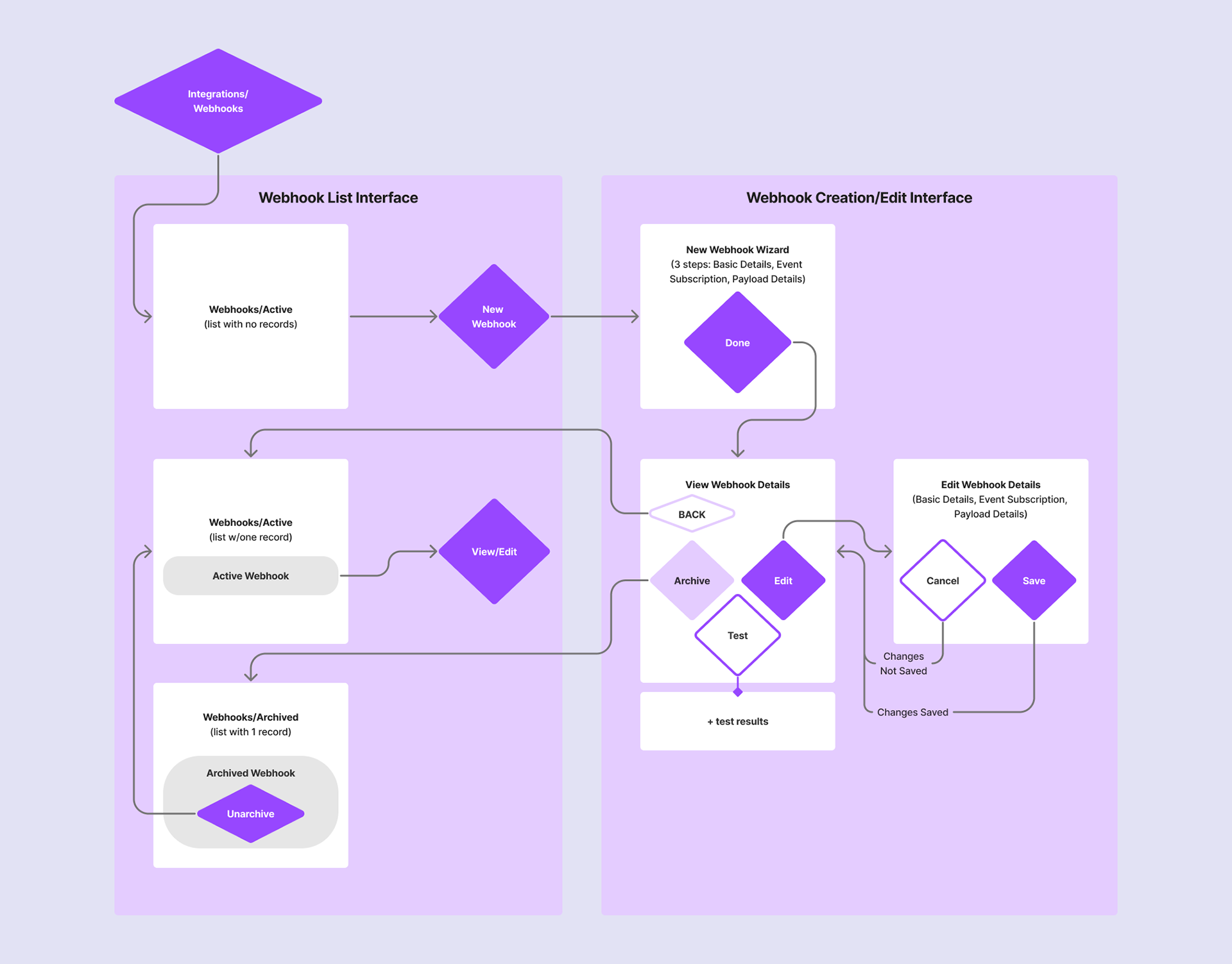
The basic feature flow.
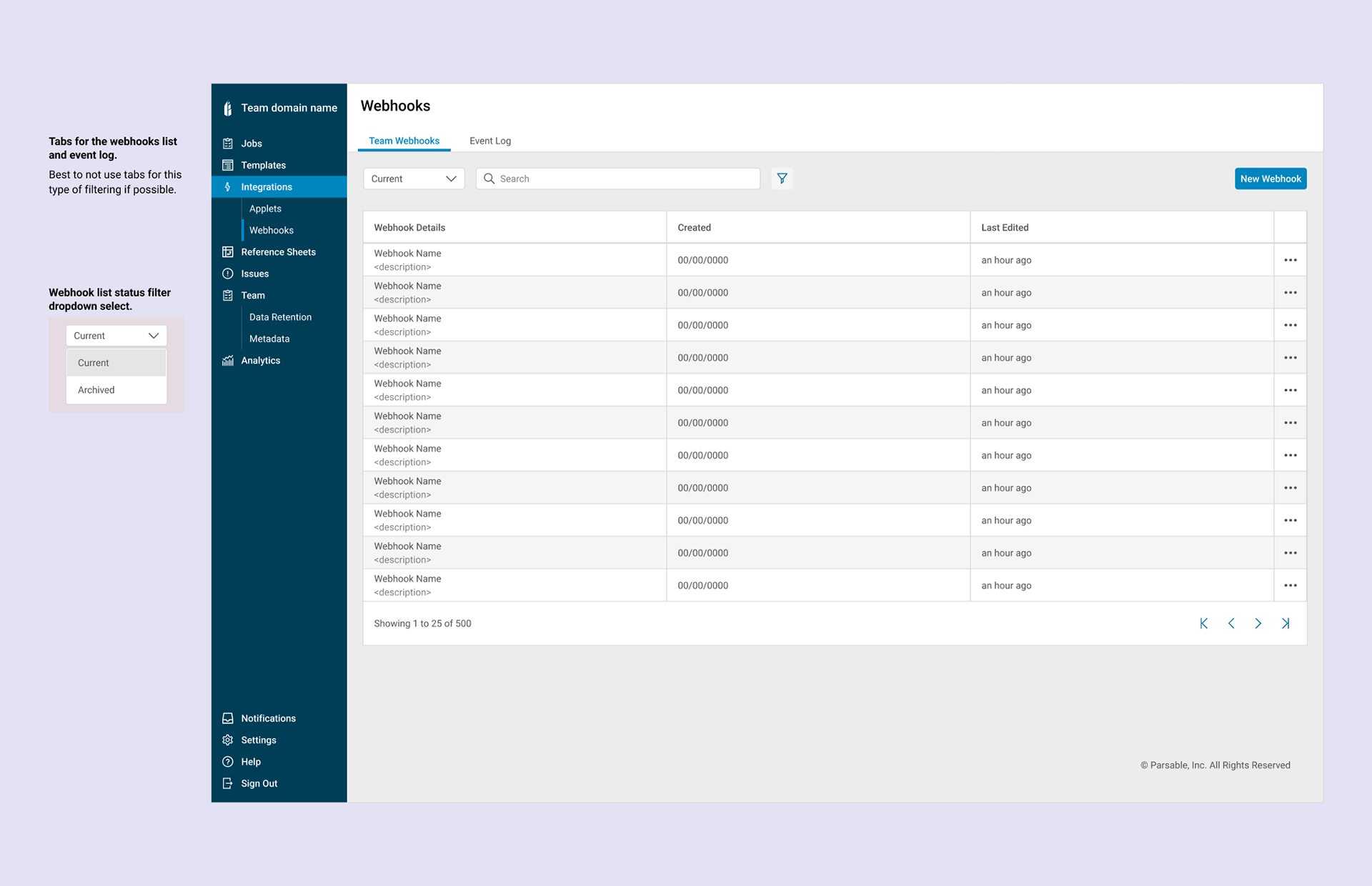
Where the feature lives in the product.
THE DETAILS
Often, projects begin with the product management team steering the ship, but for this project, the engineering partners took the lead on the initial product management. The solution they created was robust and allowed for complete control over event subscriptions using conditional statements. At this point, the webhooks were entirely API driven with front end interface.
As I joined the team, wearing dual hats of product management and design, I attempted to find a way to slice off an MVP that still delivered value for customers. We debated if the conditional statements could be reserved for later iterations. I tackled the design of an MVP version without the complexity.
The requirements and research led me to a table list and filters building access to active and archived webhooks—an established pattern in the product. Creation involves several complex configurations that I broke up into a multi-step wizard. The wizard interface added too much friction to the more focused review, test, and edit user flows, so I surfaced all steps in a longer interface with two discrete modes for reviewing and testing or editing.
We reviewed the requirements with internal customer success, support, R&D leadership, marketing, and customers, it became obvious that for this project, the initial release may need to have more of the bells and whistles in order to really support the use cases for customers.
For example, without conditional statements, a webhook could inform you when a job was completed. With some customers completed hundreds of jobs a day the result would be a full inbox for busy users. With conditional statements, a user could add the necessary specificity to only be informed with high profile jobs are completed, or only when they are completed with a deviations, etc.
As I joined the team, wearing dual hats of product management and design, I attempted to find a way to slice off an MVP that still delivered value for customers. We debated if the conditional statements could be reserved for later iterations. I tackled the design of an MVP version without the complexity.
The requirements and research led me to a table list and filters building access to active and archived webhooks—an established pattern in the product. Creation involves several complex configurations that I broke up into a multi-step wizard. The wizard interface added too much friction to the more focused review, test, and edit user flows, so I surfaced all steps in a longer interface with two discrete modes for reviewing and testing or editing.
We reviewed the requirements with internal customer success, support, R&D leadership, marketing, and customers, it became obvious that for this project, the initial release may need to have more of the bells and whistles in order to really support the use cases for customers.
For example, without conditional statements, a webhook could inform you when a job was completed. With some customers completed hundreds of jobs a day the result would be a full inbox for busy users. With conditional statements, a user could add the necessary specificity to only be informed with high profile jobs are completed, or only when they are completed with a deviations, etc.
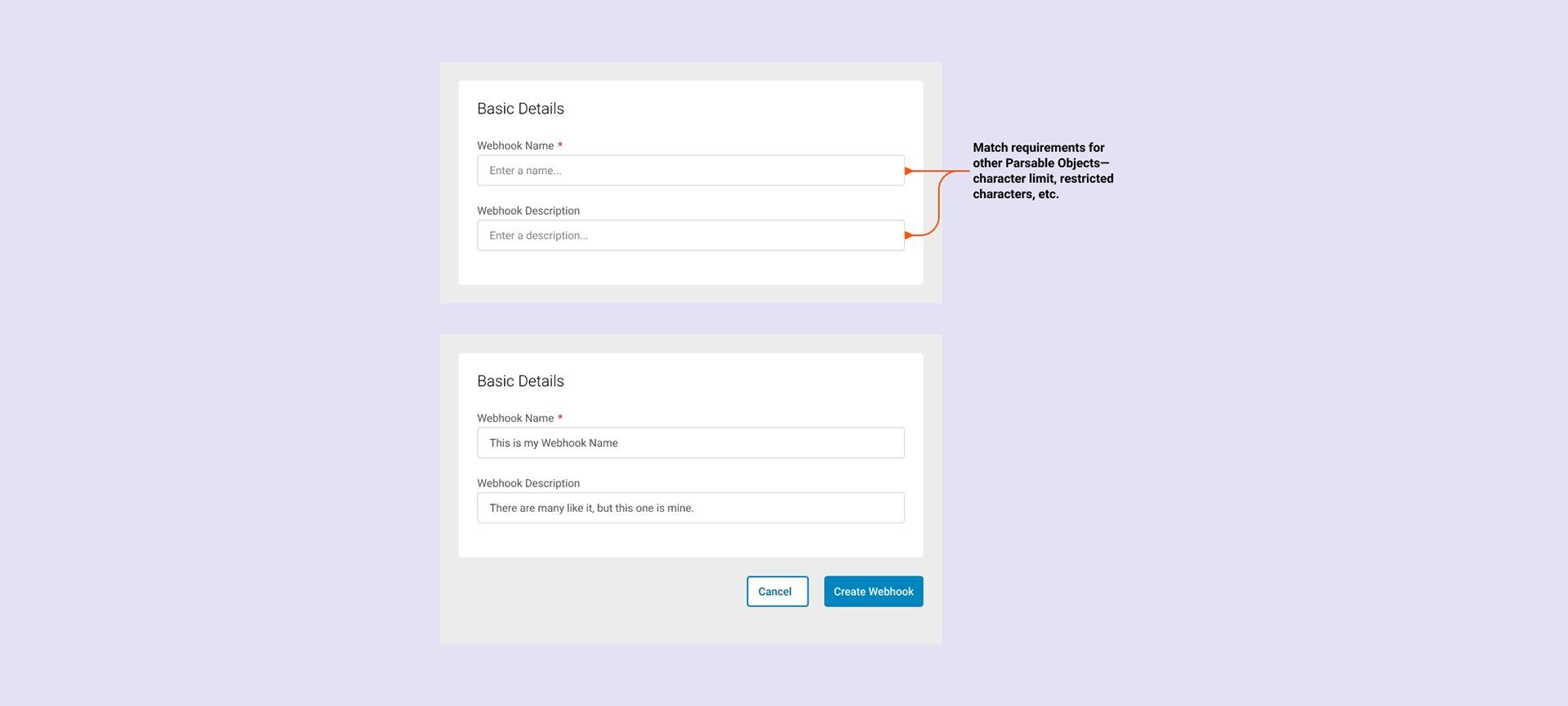
Basic details for webhook creation.
As I revisited the requirements and design, now armed with the knowledge that this was not a time to scale back, I leveraged recent patterns in other areas of the product to support the new conditional statements. I was also able to reuse wizard components and the technical configuration form elements I established in a previous feature project—data pipelines.
The event subscription, event conditions, and payload placeholders were the more complex aspects of the interface. With many events, each with a unique list of metadata that could be leveraged for conditions, I did my due diligence to ensure that we thought through the edge cases and built an interface solution that could address all current, and future, needs.
The event subscription, event conditions, and payload placeholders were the more complex aspects of the interface. With many events, each with a unique list of metadata that could be leveraged for conditions, I did my due diligence to ensure that we thought through the edge cases and built an interface solution that could address all current, and future, needs.
What shipped and what I learned
The feature launched to customer beta partners. The decision to include conditional statements in the initial release proved correct—without them, high-volume customers would have faced an unmanageable notification load. The bigger win: the wizard components and configuration patterns established here became a reusable foundation across two subsequent feature projects, compressing design time and keeping the product experience consistent.
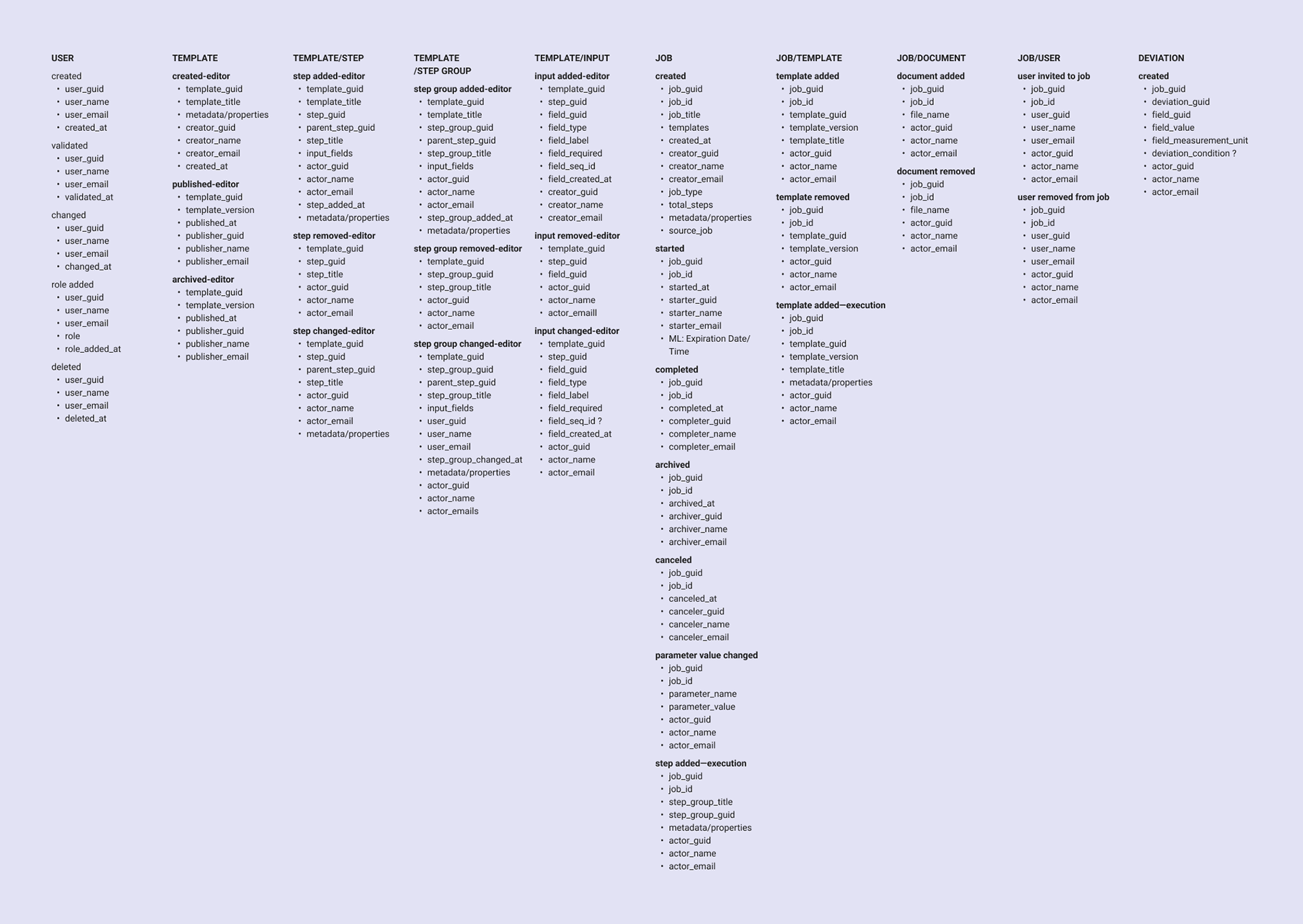
Supported Parsable events and metadata.
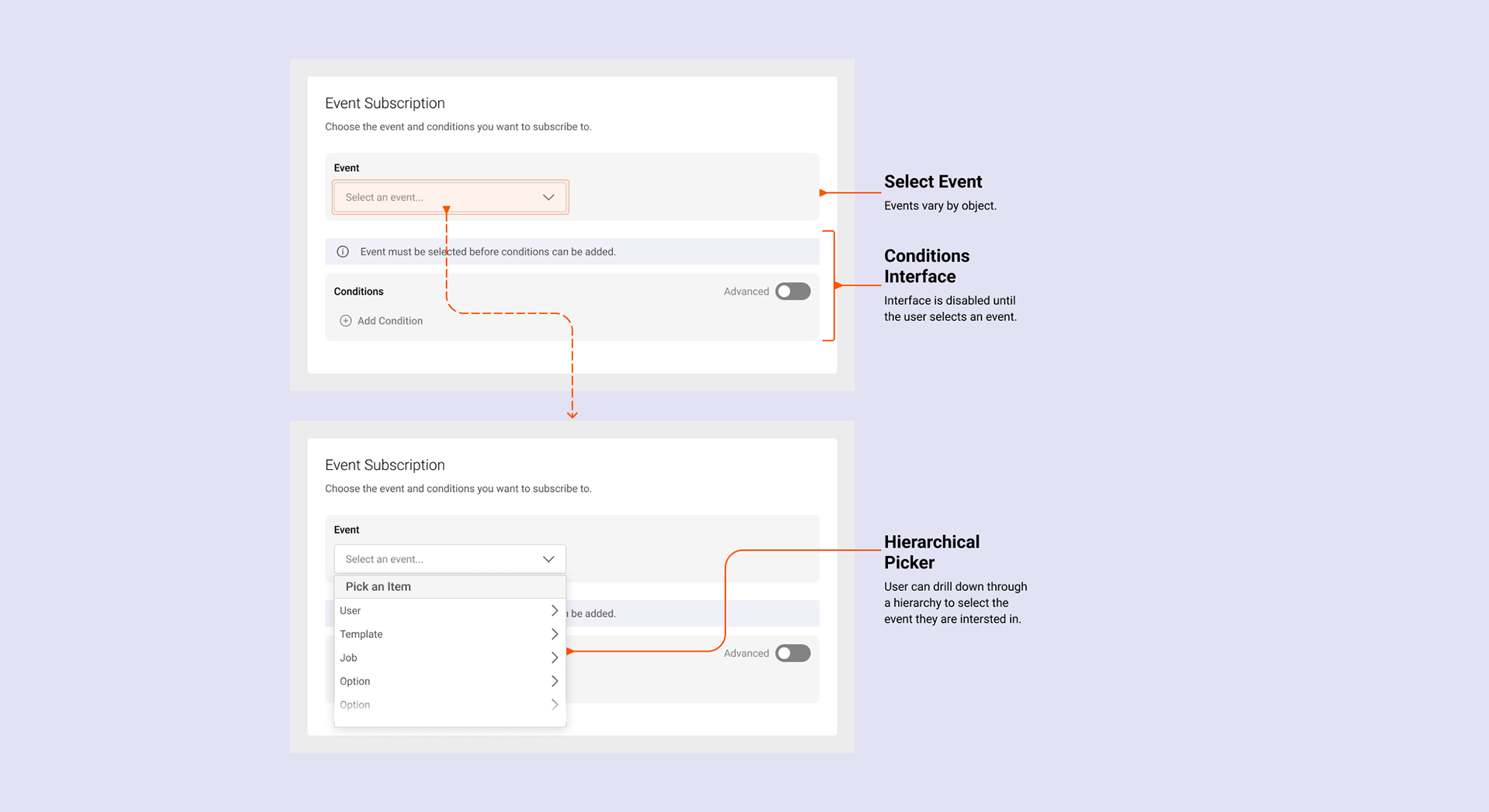
Event subscription basic flow for webhook creation.
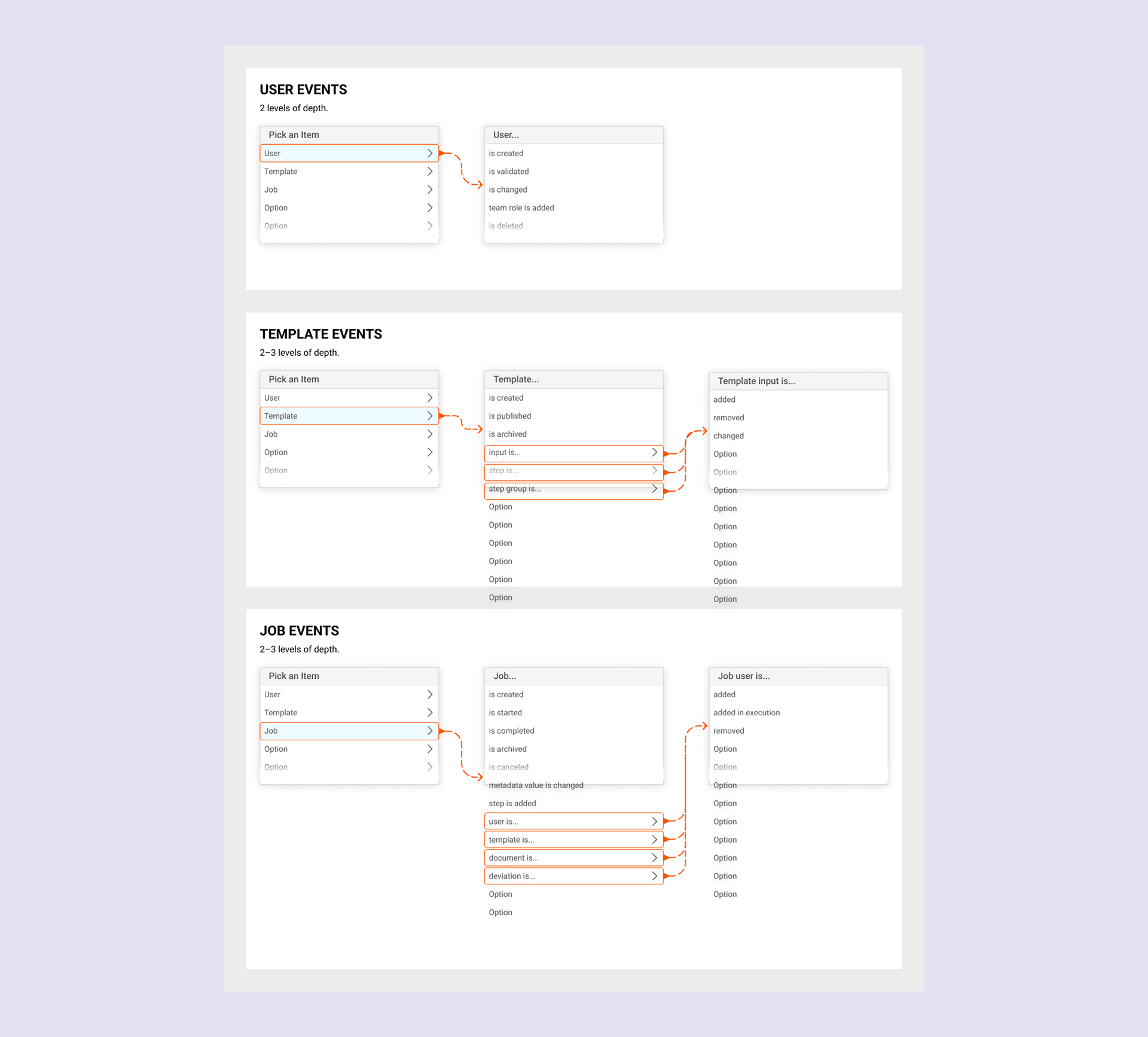
Event subscription information architecture.
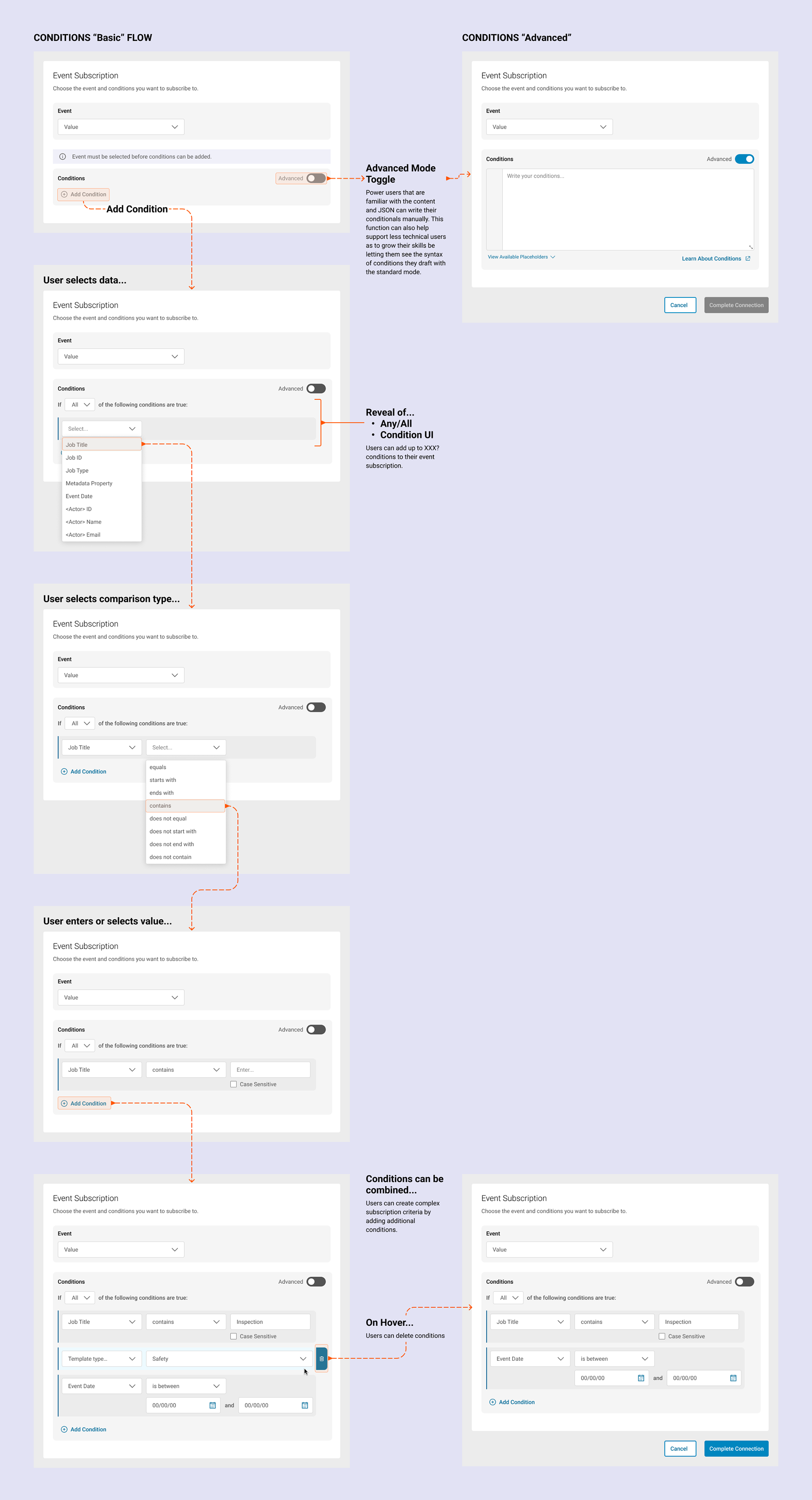
Event subscription conditions basic flow.
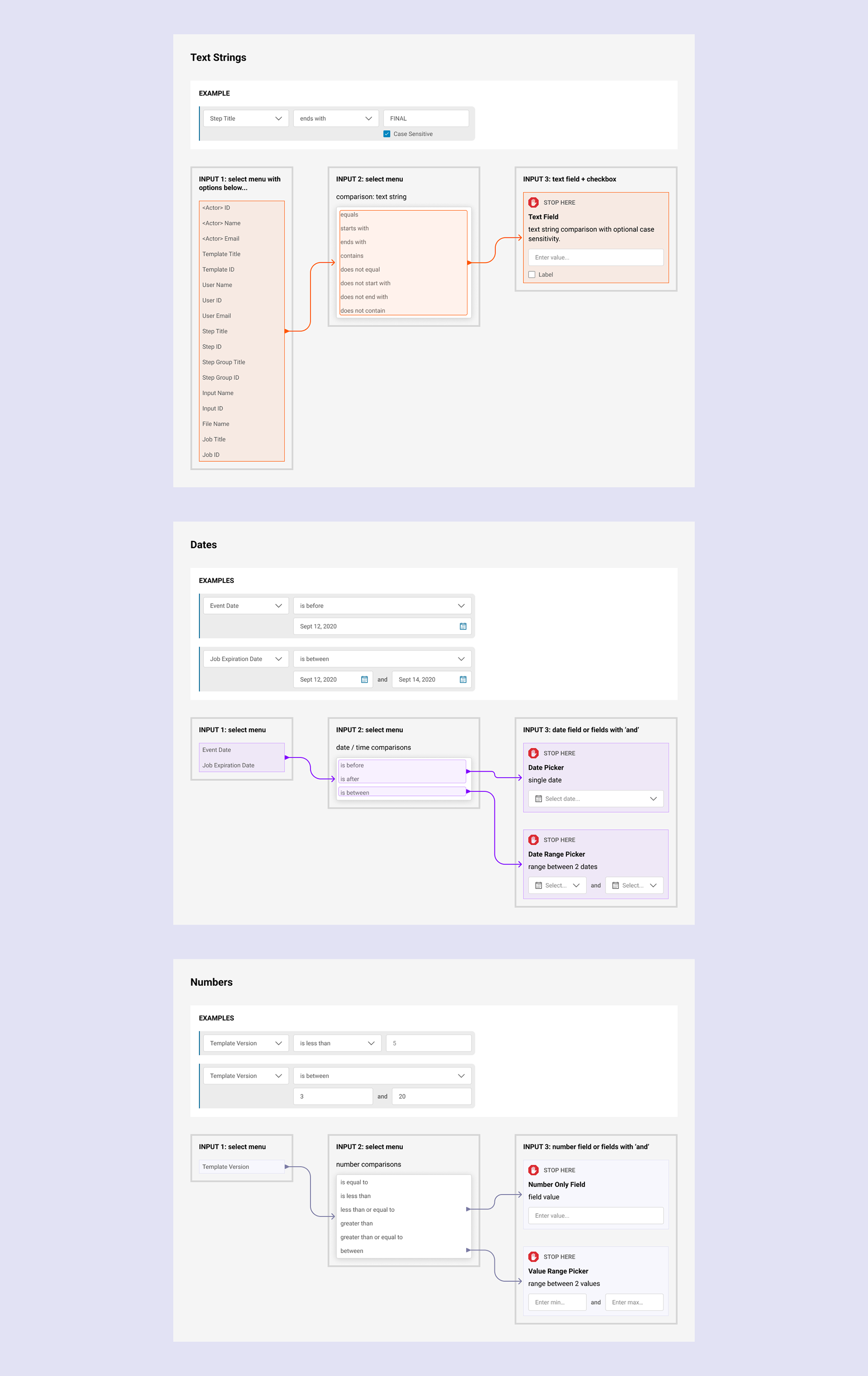
Event subscription condition builder variations based on metadata type.
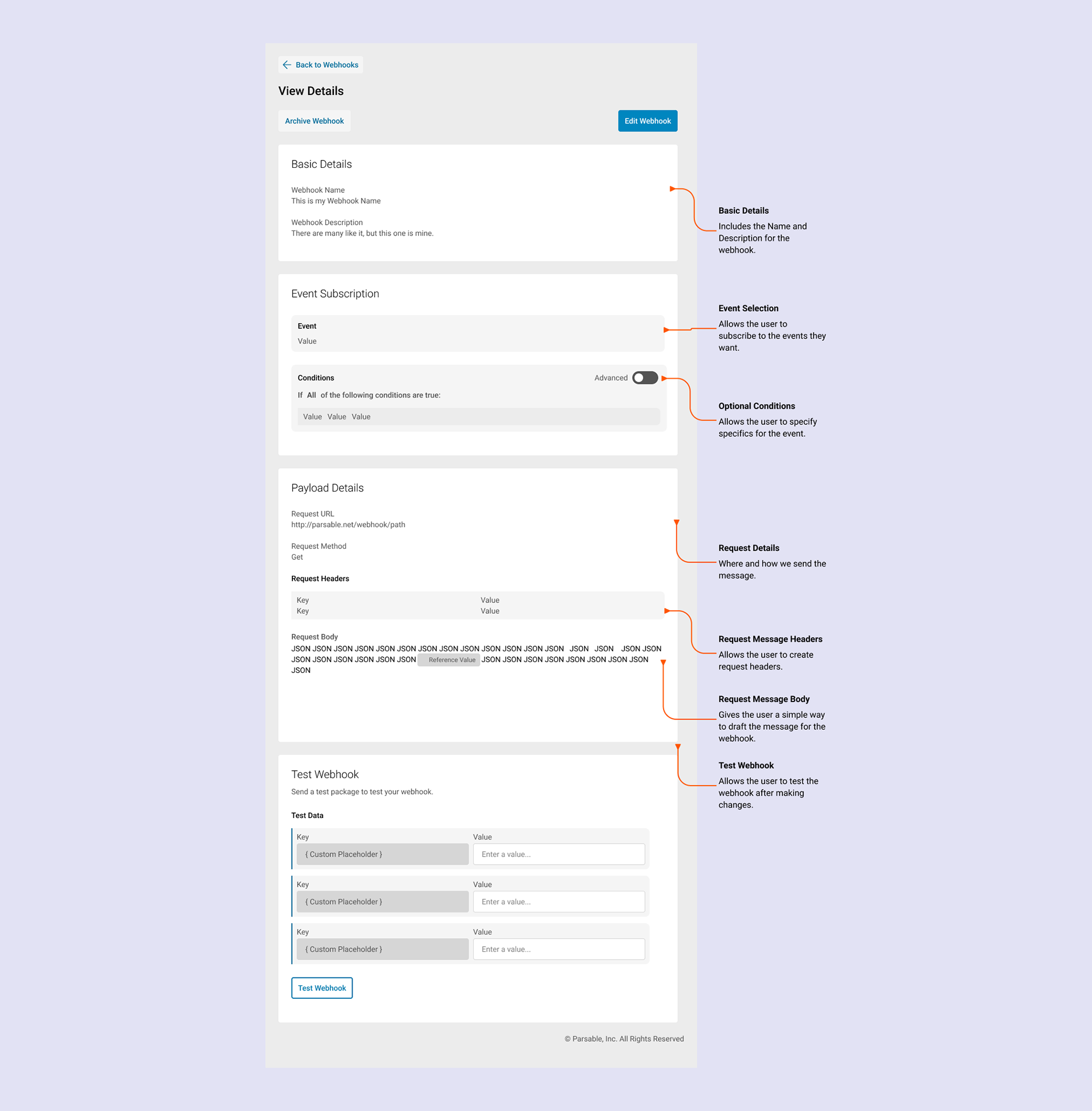
Once created, users can review and test their webhook or choose to go into edit mode.
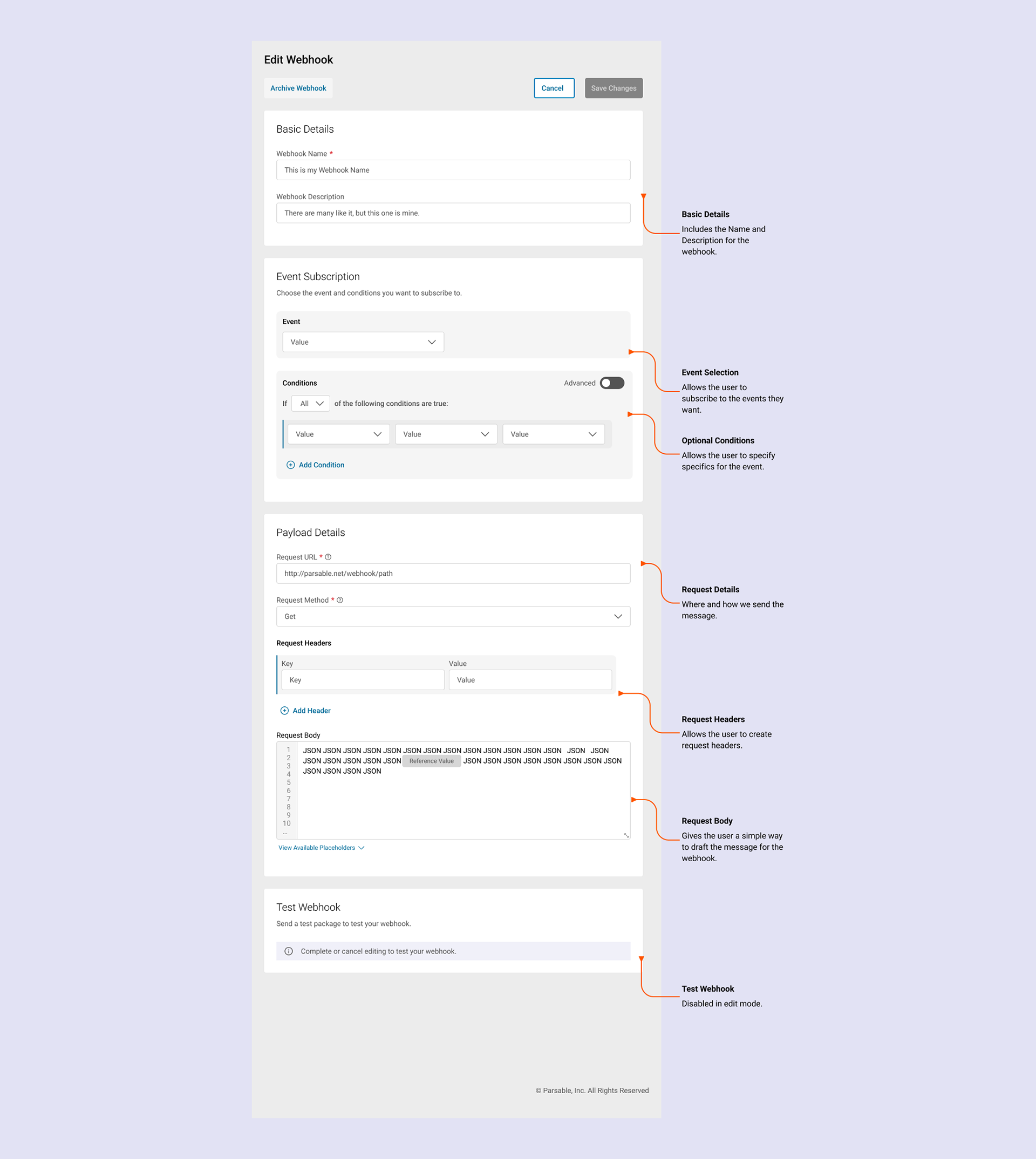
Users can edit the details of their webhook and save the changes to test their webhook.